How to add background image or gif to mobile menu in Squarespace 7.1
Want to make your Squarespace mobile menu feel more interactive and unique?
You can add an animated GIF as the background of your mobile menu using a small Custom CSS snippet.
This is a great way to add:
Animated branding
Motion backgrounds
Static Image
Compatibility
Works with Squarespace 7.1
Uses Custom CSS
Code
/*Image / Gif background Mobile Menu - sqspguru.com  */
.header-menu-bg {
  background: url(URL-HERE);
  background-size: cover;
  background-position: center;
  background-repeat: no-repeat;
}
How it Works
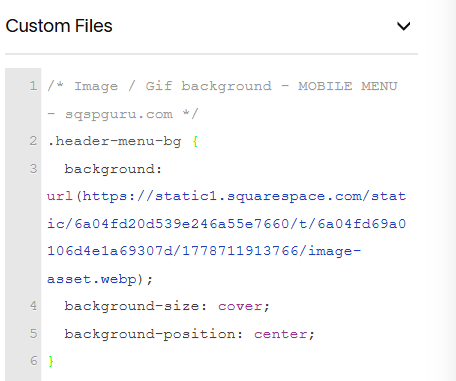
Upload your animated GIF / Image file into Custom Code → Custom CSS → Custom Files . Once uploaded, Squarespace will generate a file URL for the GIF or image.
Copy that URL and Replace the URL-HERE with the URL of your uploaded GIF / Image
Final Result
Once saved, your Squarespace mobile menu will display an animated GIF or Image background whenever the menu is opened on mobile devices.